In today’s digital-first world, web accessibility is no longer a luxury but a necessity. Over one billion people globally experience some form of disability, accounting for approximately 15% of the world’s population. Without accessible design, a significant portion of users could face barriers in accessing essential online services, from shopping and banking to education and healthcare. Beyond inclusion, accessible websites improve user experience for everyone and boost SEO performance, making them a win-win for businesses and users alike.
Developers play a critical role in shaping this inclusive digital landscape. By adopting accessibility best practices, they can create websites that are navigable and usable for individuals with diverse needs. However, understanding and implementing accessibility standards, such as WCAG, can sometimes feel overwhelming. Tools like NavEase simplify this process by enabling developers to identify and address accessibility gaps efficiently, ensuring websites comply with regulations while delivering an exceptional user experience.
Key Principles of Accessible Design
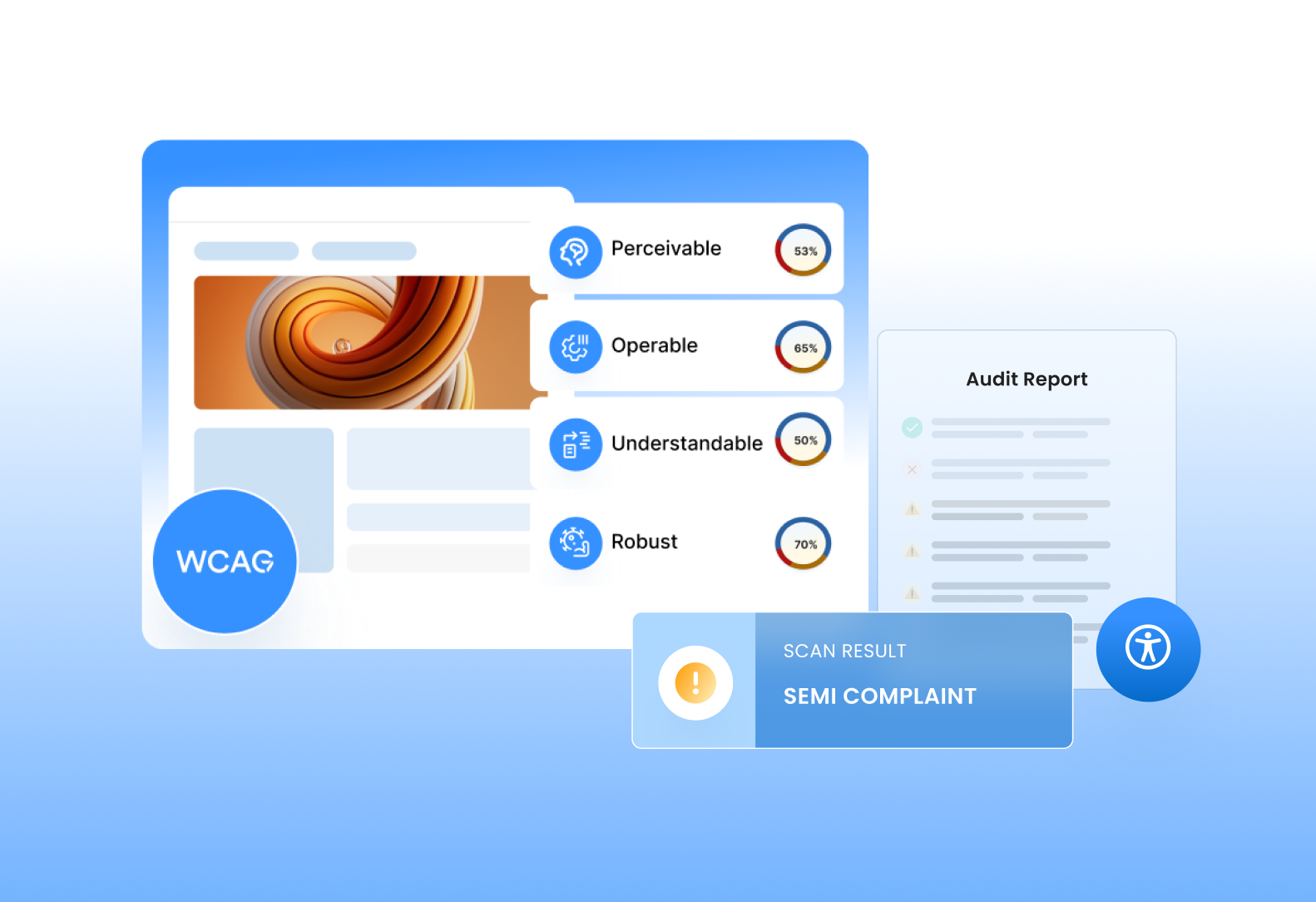
Building accessible websites begins with understanding the four fundamental principles of accessibility—Perceivable, Operable, Understandable, and Robust (commonly abbreviated as POUR). These principles provide a solid framework for ensuring that digital experiences are usable for everyone, regardless of their abilities.
1. Perceivable:
Content must be presented in ways that users can perceive through one or more of their senses. This means including alternative text (alt text) for images so screen readers can describe visual content to visually impaired users. Multimedia elements, such as videos, should include captions or transcripts to make information accessible to those with hearing impairments. Additionally, developers should ensure color contrast meets WCAG standards so that text is legible for users with low vision or color blindness.
2. Operable:
Interactive elements, like navigation menus, buttons, and forms, should be easy to operate for all users. For example, keyboard accessibility is vital, ensuring users can navigate the entire site without relying on a mouse. Avoiding keyboard traps—where a user cannot move away from an element once it’s focused—is equally critical. Furthermore, providing clear focus indicators helps users track their navigation path, enhancing usability for individuals with motor disabilities.
3. Understandable:
Web content should be intuitive and straightforward. This involves using clear, concise language, logical layouts, and consistent navigation patterns. For example, providing users with clear instructions and error messages can help them fill out forms without frustration. Developers should also ensure the interface behaves predictably, avoiding sudden changes in content or navigation that might confuse users.
4. Robust:
Websites should be compatible with current and future assistive technologies, such as screen readers, magnifiers, and voice control software. Developers can achieve this by writing clean, semantic HTML and adhering to web standards. Regular testing with various assistive tools ensures the site remains functional across different devices and user scenarios.
By aligning their work with these principles, developers can create web experiences that are truly inclusive and future-proof, contributing to a more accessible digital world.
Best Practices for Developers
Creating accessible websites requires a proactive approach to design and development. By following these best practices, developers can ensure their websites are usable by everyone, including those relying on assistive technologies.
a. Semantic HTML and ARIA
Using semantic HTML is fundamental to building accessible websites. Properly structured HTML enables screen readers to interpret content effectively, providing users with a seamless experience. For example, using <header>, <main>, and <footer> tags helps assistive tools understand the hierarchy and structure of a webpage.
While ARIA (Accessible Rich Internet Applications) attributes can enhance accessibility by adding contextual information, developers should use them sparingly and only when necessary. Overusing ARIA can confuse assistive technologies or create redundant information. Always prioritize native HTML elements over ARIA for accessibility whenever possible.
b. Color Contrast and Design
Adequate color contrast ensures that text and visual elements remain distinguishable, even for users with low vision or color blindness. WCAG recommends a minimum contrast ratio of 4.5:1 for standard text and 3:1 for large text.
Avoid relying solely on color to convey information, such as using red text to indicate an error. Supplement visual cues with text labels or symbols to ensure users with color vision deficiencies can understand the content.
c. Accessible Forms
Forms should be designed with accessibility in mind, as they are key interaction points on most websites. Properly label form elements, using <label> tags associated with input fields to provide clear instructions for screen reader users. For error handling, provide descriptive messages that help users understand and fix their mistakes—for instance, “Please enter a valid email address” instead of a vague “Error.”
d. Keyboard Navigation
Keyboard navigation is essential for users with motor disabilities or those who rely on assistive tools like screen readers. Ensure that all interactive elements, such as buttons, links, and forms, are accessible via keyboard. The “Tab” key should allow users to move sequentially through the content, and the “Enter” key should activate buttons and links.
Avoid keyboard traps, where users become stuck on an element without a way to navigate out. Testing navigation flow regularly can prevent these issues and ensure smooth usability.
e. Media Accessibility
Multimedia content, such as videos and audio files, should include captions, transcripts, or audio descriptions to accommodate users with hearing or visual impairments. Providing subtitles ensures that users can follow along even in silent environments.
Autoplaying media can be disruptive, especially for screen reader users. Always provide controls for pausing, stopping, or muting media, and consider offering text-based alternatives for non-audio users.
f. Responsive and Flexible Design
Accessible design must work seamlessly across various devices and screen sizes. Ensure that your website adapts to different resolutions and orientations, allowing users to interact comfortably on both desktops and mobile devices.
Additionally, support browser zoom functionality without breaking the layout. Text and images should scale proportionally, ensuring readability and usability for users with low vision.
g. Testing with Assistive Technologies
Testing accessibility is a crucial step in the development process. Use screen readers like JAWS and NVDA to identify issues that may impact visually impaired users. Additionally, leverage tools like NavEase to automate WCAG compliance checks and streamline the evaluation process.
Regular testing with assistive technologies ensures that your website remains accessible and meets evolving user needs, ultimately contributing to an inclusive digital environment.
Common Challenges in Accessible Web Design
While accessible web design is crucial, developers often encounter challenges that complicate the process. Recognizing and addressing these obstacles is key to creating inclusive and functional websites.
1. Legacy Code and Retrofitting Accessibility
One of the most significant challenges is updating legacy websites to meet modern accessibility standards. Older sites often have outdated code structures, making it difficult to integrate accessibility features without extensive rewrites. For example, adding semantic HTML or ARIA attributes to poorly structured HTML can be time-consuming and prone to errors.
To address this, developers should prioritize critical elements, such as navigation and forms, and implement accessibility improvements incrementally. Tools like NavEase can help identify high-impact areas for immediate action, streamlining the retrofitting process.
2. Balancing Accessibility with Aesthetics
Designers and developers sometimes perceive accessibility as a limitation to creativity. Features like larger fonts, high contrast, or focus indicators might clash with a brand’s aesthetic preferences. However, it’s important to remember that accessibility and visual appeal are not mutually exclusive.
By adopting inclusive design principles from the beginning, developers can create websites that are both visually compelling and accessible. For example, accessible color palettes can still align with brand identity, and clear layouts often enhance the overall user experience. Collaboration between designers and accessibility experts can bridge the gap between aesthetics and functionality.
3. Overcoming Knowledge Gaps in Accessibility Principles
Many developers lack formal training in accessibility standards like WCAG, leading to unintentional oversights in their work. Additionally, keeping up with evolving guidelines and emerging assistive technologies can be overwhelming.
Addressing this challenge requires continuous education and access to the right resources. Online courses, webinars, and documentation from organizations like W3C can help developers build foundational knowledge. Automated tools like NavEase further simplify compliance by flagging issues and offering actionable recommendations, reducing the learning curve for developers.
By tackling these challenges head-on, developers can move closer to creating digital experiences that are inclusive, functional, and visually appealing, ensuring their work meets the needs of all users.
Leveraging Tools and Resources
Web accessibility may seem daunting, but leveraging the right tools can make the process significantly more manageable. Tools like NavEase are invaluable for streamlining accessibility checks and ensuring compliance with standards like WCAG. NavEase empowers developers by automating the detection of common accessibility issues, offering actionable insights, and simplifying the path to creating inclusive websites.
Streamlining Accessibility with NavEase
NavEase is designed to take the guesswork out of accessibility compliance. Its user-friendly interface allows developers to quickly identify areas of concern, such as missing alt text, improper use of ARIA attributes, or insufficient color contrast. By integrating NavEase into the development process, teams can ensure their websites remain accessible from the start, saving time and resources compared to retroactive fixes.
Additional Developer-Friendly Resources
While NavEase is a comprehensive solution, developers can benefit from supplementing it with other resources to deepen their understanding of accessibility:
- Accessibility Testing Tools: Tools like Lighthouse and Axe can complement NavEase by offering insights into performance, accessibility, and best practices. These tools are particularly useful for conducting quick, browser-based tests during development.
- Browser Extensions: Extensions like WAVE and Accessibility Insights provide developers with instant feedback on web pages, helping identify minor issues in real time.
By combining the power of NavEase with other resources, developers can confidently tackle accessibility challenges, create inclusive designs, and stay aligned with best practices.
Building a More Inclusive Web
Incorporating accessibility into the development process is not just a responsibility but an opportunity to create a more inclusive web for all. By embedding accessibility considerations from the start, developers can save time, improve user satisfaction, and enhance overall site performance. Adopting best practices, understanding common challenges, and leveraging tools like NavEase can make the journey toward accessibility both efficient and rewarding.
As web accessibility standards and technologies evolve, it’s essential for developers to stay informed and adapt their approaches. By committing to continuous learning and utilizing tools like NavEase, developers can confidently build websites that are both compliant and user-friendly, ensuring no user is left behind.
Leave a Reply